Best Instant Download DXF Files for Professional Tool Storage Fabrication
Introduction: Why Professional Fabricators Need Instant-Download DXF Files
In busy fabrication shops, downtime is costly and repeatable accuracy is non-negotiable. When a customer asks for a low-profile mounting plate that locks into a Milwaukee Packout, or a wall panel that organizes Klein MODbox cases, you need a fabrication path that goes from purchase to cutting table in minutes—not days. That’s where instant download DXF files change the game: they eliminate design bottlenecks, standardize results, and let you convert orders into finished parts on the same shift.
For professional tradespeople and fabricators, the value is twofold. First, proven geometry reduces rework, scrap, and warranty claims. Second, ready-to-cut drawings accelerate quoting and throughput, so your CNC laser, plasma, waterjet, or router stays productive. Boco Custom focuses on both outcomes: heavy-duty, low-profile mounting solutions that don’t fail in the field, and digital fabrication design files that drop straight into your CAM workflow.
With a growing library of fabrication design files and laser cutting templates—spanning steel, aluminum, acrylic, and wood—shops can standardize on modular storage mounting files that match popular systems, adapt for their own branding, and deliver consistent, professional results at scale.
Criteria for Evaluating Quality Fabrication Files
Not all instant download DXF files are production-ready. Before you rely on a file, evaluate it against criteria that directly affect machine time, consumables, and field performance.
Dimensional accuracy and units
- Confirm scale (1:1) and units (inch or metric) immediately after import. - Look for clear callouts in the file name or title block (e.g., “0.125 in steel,” “3 mm aluminum”).
Geometry integrity
- Closed polylines for profiles; no duplicate or overlapping lines. - Appropriate arc entities instead of segmented micro-polylines that slow machines and degrade edge quality. - Filleted internal corners that respect material thickness and process limits.
Process-aware design
- Hole diameters sized for your cutter and intended hardware (e.g., clearance for 1/4-20 or M6). - Minimum web widths and tab sizes that prevent tip-ups and part movement. - Kerf and lead-in zones that won’t collide with neighboring features.
Organized layer structure
- Separate layers for operations: CUT, ETCH/MARK, BEND LINES, TABS, and CENTER MARKS. - Suppressible helper geometry that won’t accidentally generate toolpaths.
Tolerance and fit intent
- Slots, standoffs, and relief features that recognize powder coat thickness, rivnut flare, or rubber isolators. - Logical hinge points or brace locations where high loads are expected.
File portability and versioning
- Saved to a broadly compatible DXF flavor (e.g., R12/R14 or 2000) to import reliably into SheetCam, Fusion 360, LightBurn, Flow, or OMAX software. - A changelog or revision note indicating updates and resolved issues.
Documentation and licensing
- Notes on recommended materials, thickness ranges, and surface finishes. - Clear usage rights allowing shop fabrication, resale of physical parts, and field installation.
When you assess files using these criteria, you’ll cut with fewer surprises and retain design intent from CAD to the finished assembly.
Custom Mounting Plate DXF Files for Tool Organization
Mounting plates are the backbone of efficient tool transport. The best designs are low profile, secure, and shaped for real-world abuse in trucks, vans, and jobsites. Fabricators need custom tool storage plans that drop into production and interface perfectly with modular systems.
Common engineering considerations in well-developed modular storage mounting files include:
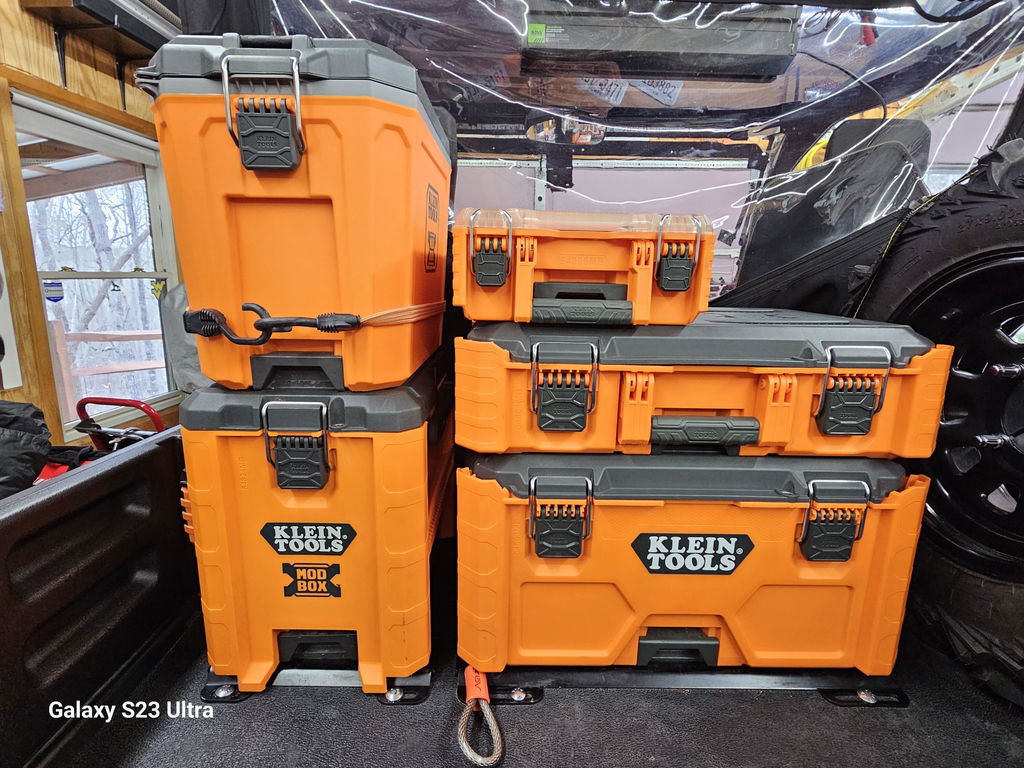
Interface geometry that positively locks into systems like Milwaukee Packout, Klein MODbox, and DeWalt Toughbox.
Slotted through-holes for anchor flexibility and quick alignment to vehicle floors, plywood decks, or Unistrut.
Robust tie-down slots sized for ratchet straps and bungee hooks.
Reinforcement patterns (gusseting, bead features, or edge flanges) appropriate to the chosen material and thickness.
Hardware standards in both inch and metric, with clearance and countersink options.
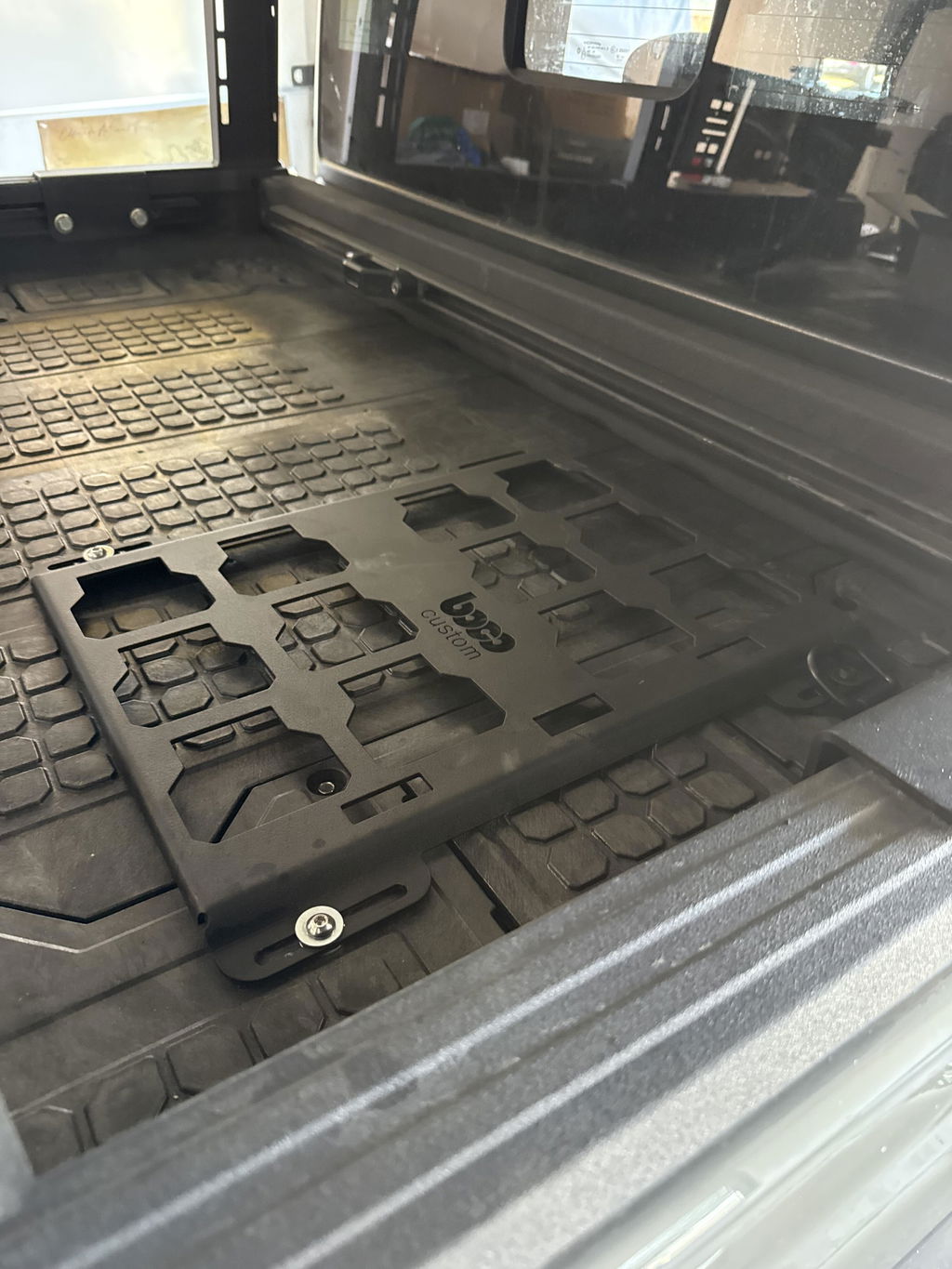
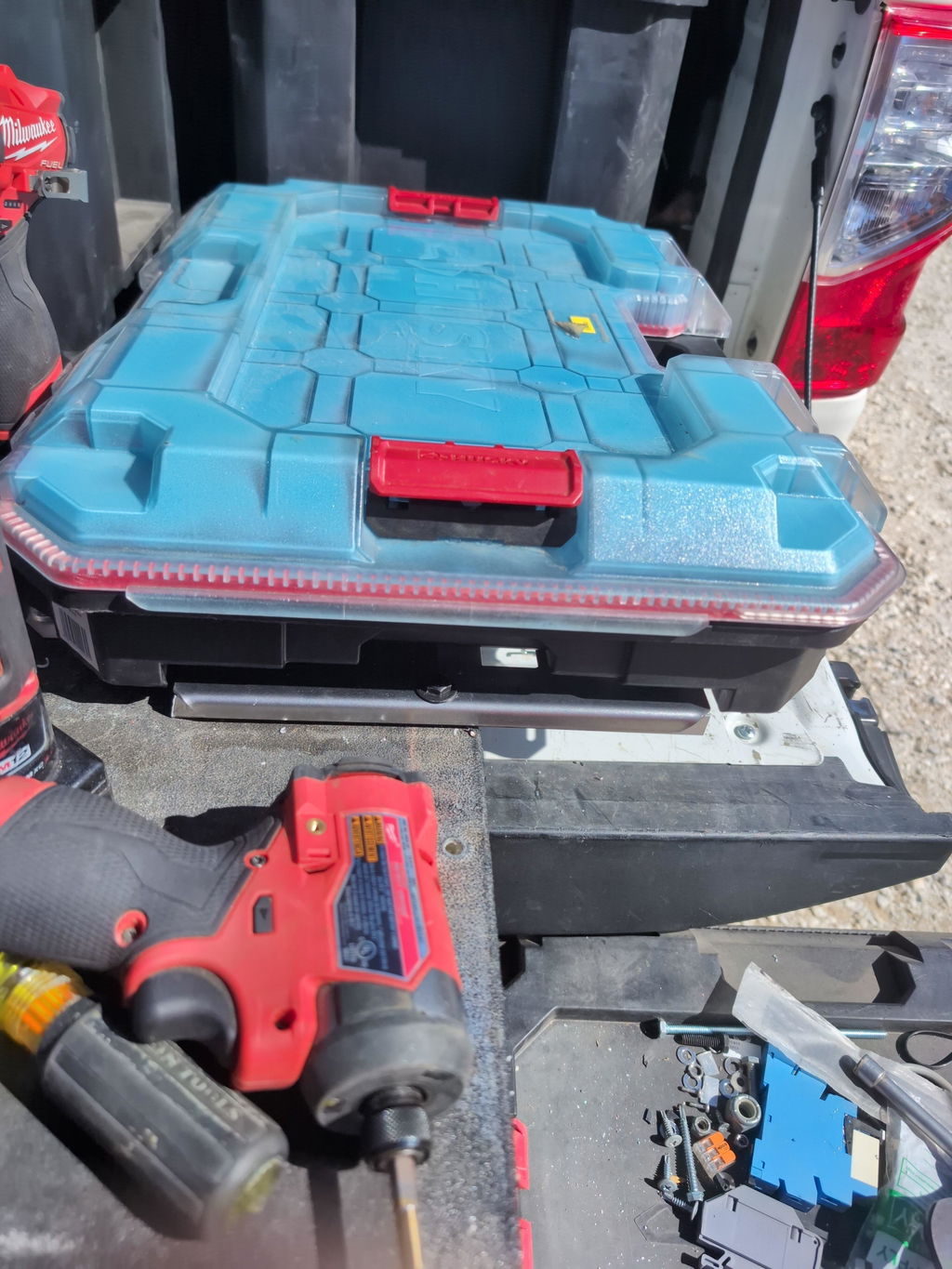
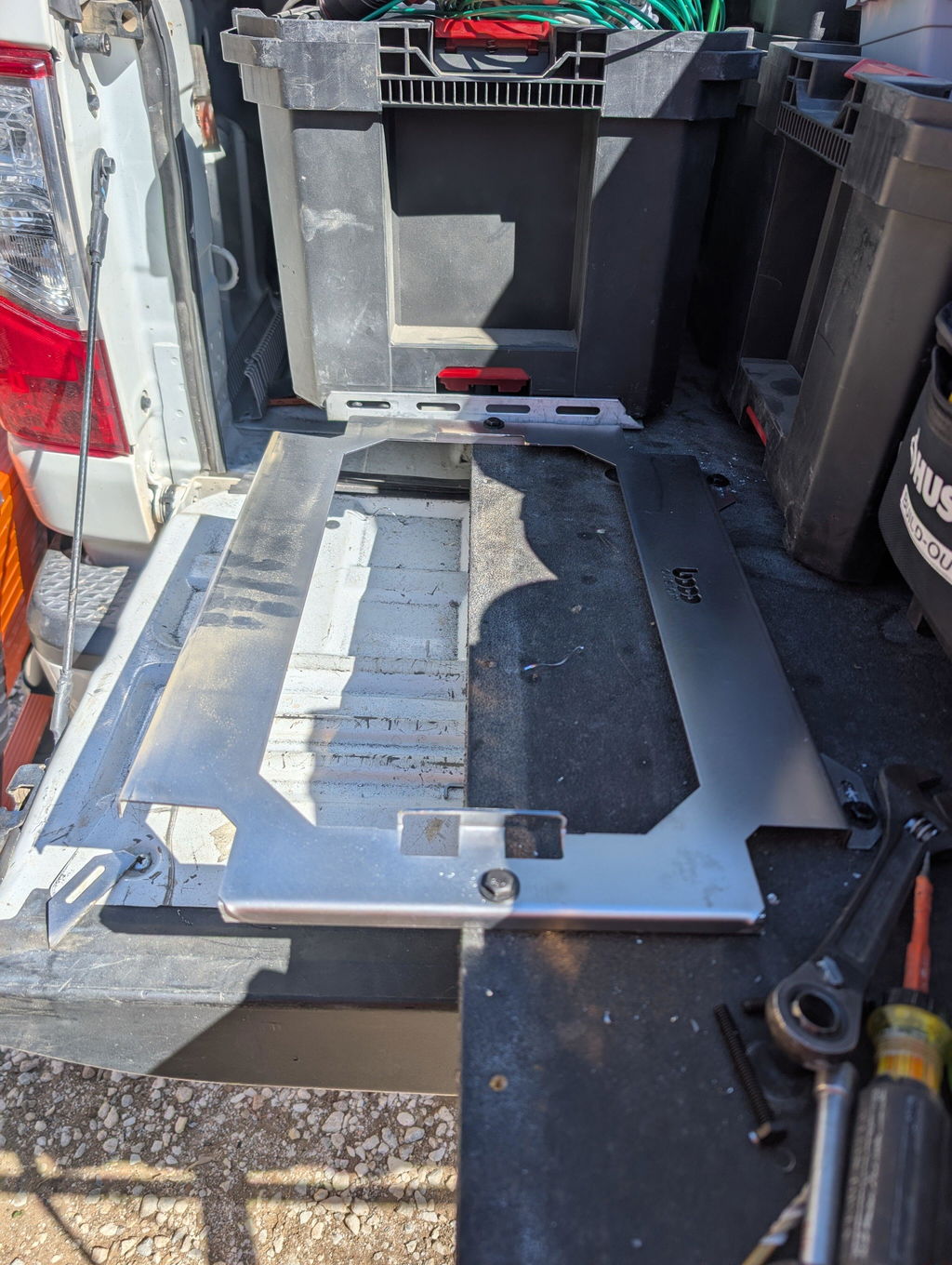
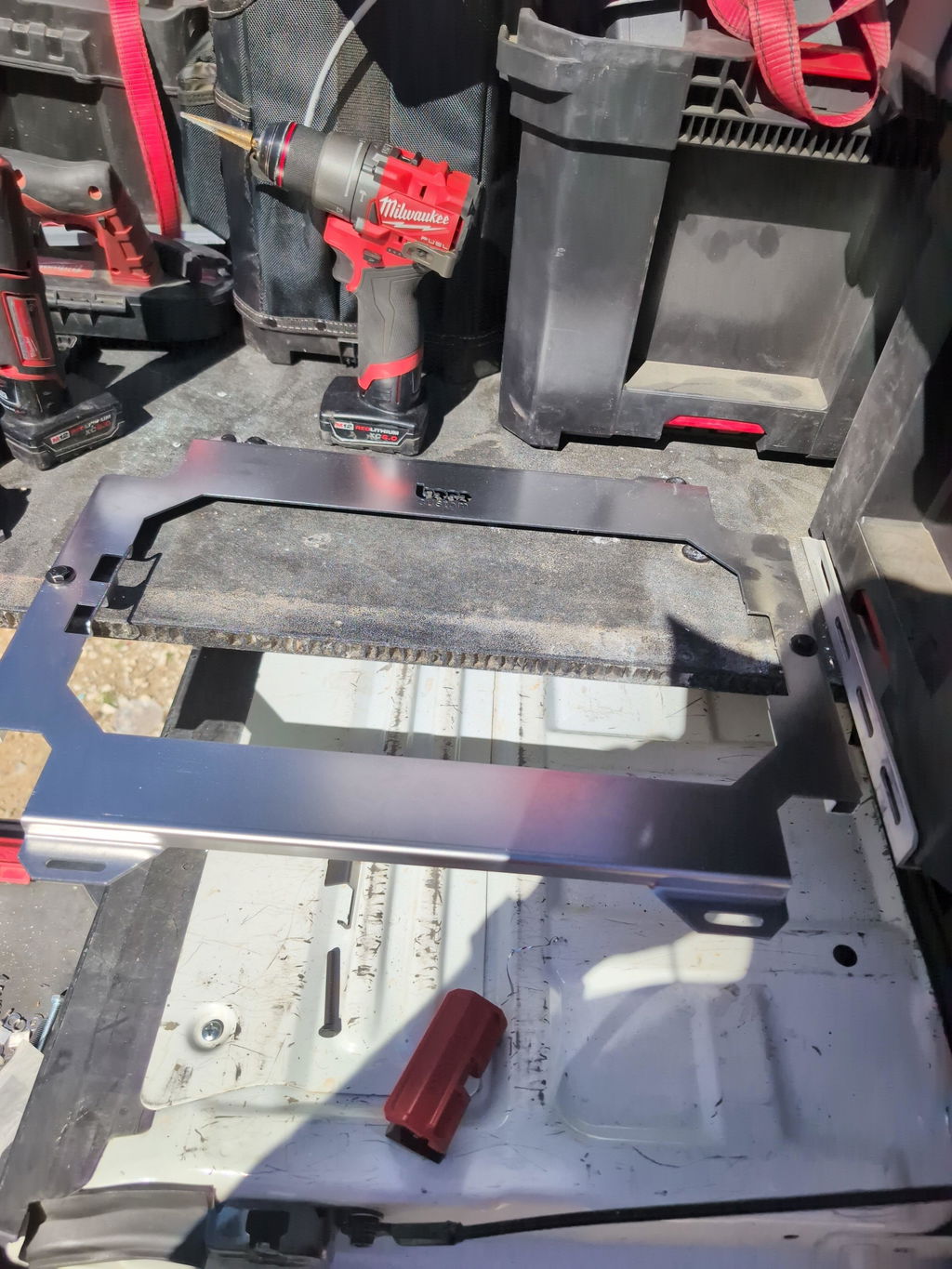
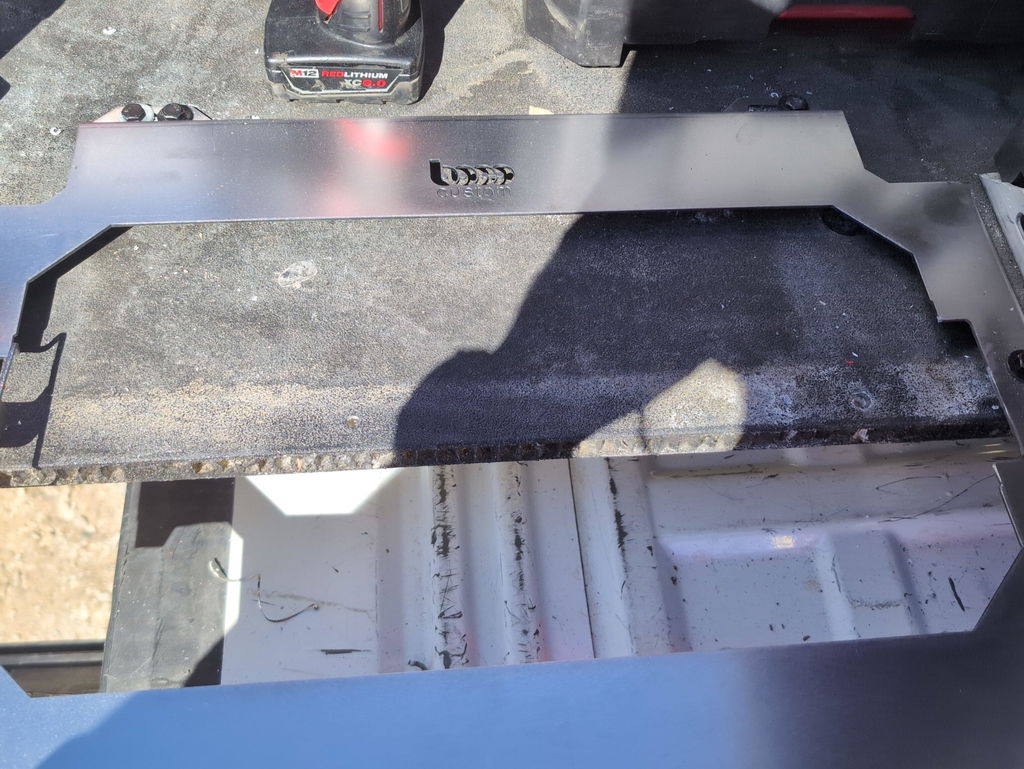
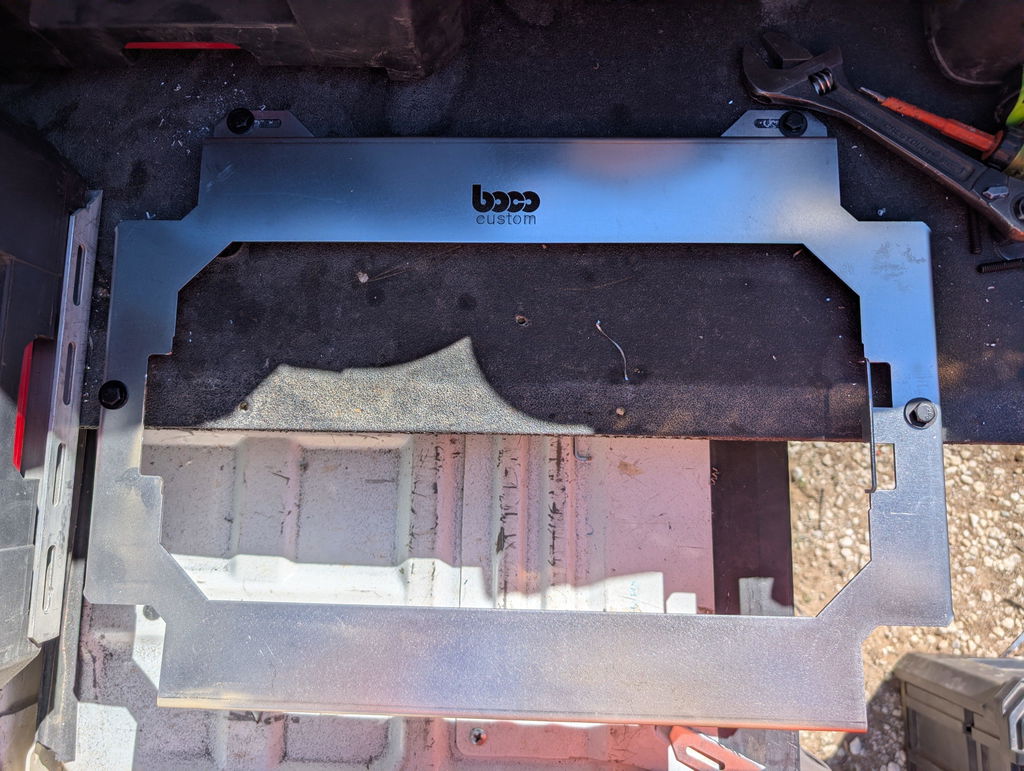
If you’re standardizing around Milwaukee, a purpose-built file saves hours of reverse engineering. Boco Custom provides Milwaukee Packout DXF geometry with inch and metric options to fit common shop setups. Files like these map cleanly to 10–12 gauge steel for high load capacity or 1/8–3/16 in aluminum when corrosion resistance and light weight matter.
Illustration 1
For trade vans where every inch matters, consider plate variants with:
Low-profile edges that won’t snag hoses or cords.
Obround slots under the case footprint for hidden fasteners.
Optional logo cutouts or etched marks for brand identity without weakening core structure.
These details ensure your finished plate fits the intended storage ecosystem, installs fast, and withstands heavy, repetitive loads.
Laser-Ready Design Templates for Metal Fabrication
Laser cutting templates add value when they anticipate CAM realities and field use. Properly layered files let you mark bend lines instead of cutting them, etch logo art, and maintain geometry for countersinks or PEM hardware without second-guessing on the shop floor.
Elements to look for in laser-ready templates:
Layer naming conventions
- CUT_OUTER, CUT_INNER, MARK_TEXT, BEND_LINE, and TABS for consistent tool assignment. - Optional layers for “DRILL” where a laser pierce is undesirable and secondary ops are safer.
Material guidance
- Recommended thickness windows (e.g., 0.090–0.135 in steel, 0.080–0.125 in aluminum) that preserve stiffness without overloading the machine. - Hole and slot geometries adjusted for burr control and post-finish (powder coat or anodizing).
Bend and assembly clarity
- Etched bend lines with angle annotations for brake operators. - Reliefs at bend intersections to prevent tearing in thicker stock.
Edge and corner design
- Minimum internal radii scaled to process; for aluminum with laser, larger inner radii reduce heat stress and cracking. - Chamfered outer corners where parts will be handled frequently.
Multiprocess compatibility
- Laser-first with optional notes for plasma/waterjet speed and kerf, so the same file family works across machines.
Boco Custom’s production floor spans steel, aluminum, acrylic, and wood—so their files often include variants that cut just as cleanly on a CO2/galvo laser, CNC router, or waterjet. For shops expanding into signage or interior panels, these laser cutting templates provide a reliable starting point and save programming time when workflows must switch between materials.
Low-Profile Storage Solution Designs Available
Low-profile solutions prioritize secure retention without adding height or snag points. For service trucks, enclosed trailers, and shop walls, the geometry should sit flush and keep handles clear while eliminating rattle and movement over rough terrain.
Useful low-profile design patterns include:
Floor plates for modular cases that sit within the footprint of the base container, preventing lateral play without creating trip hazards.
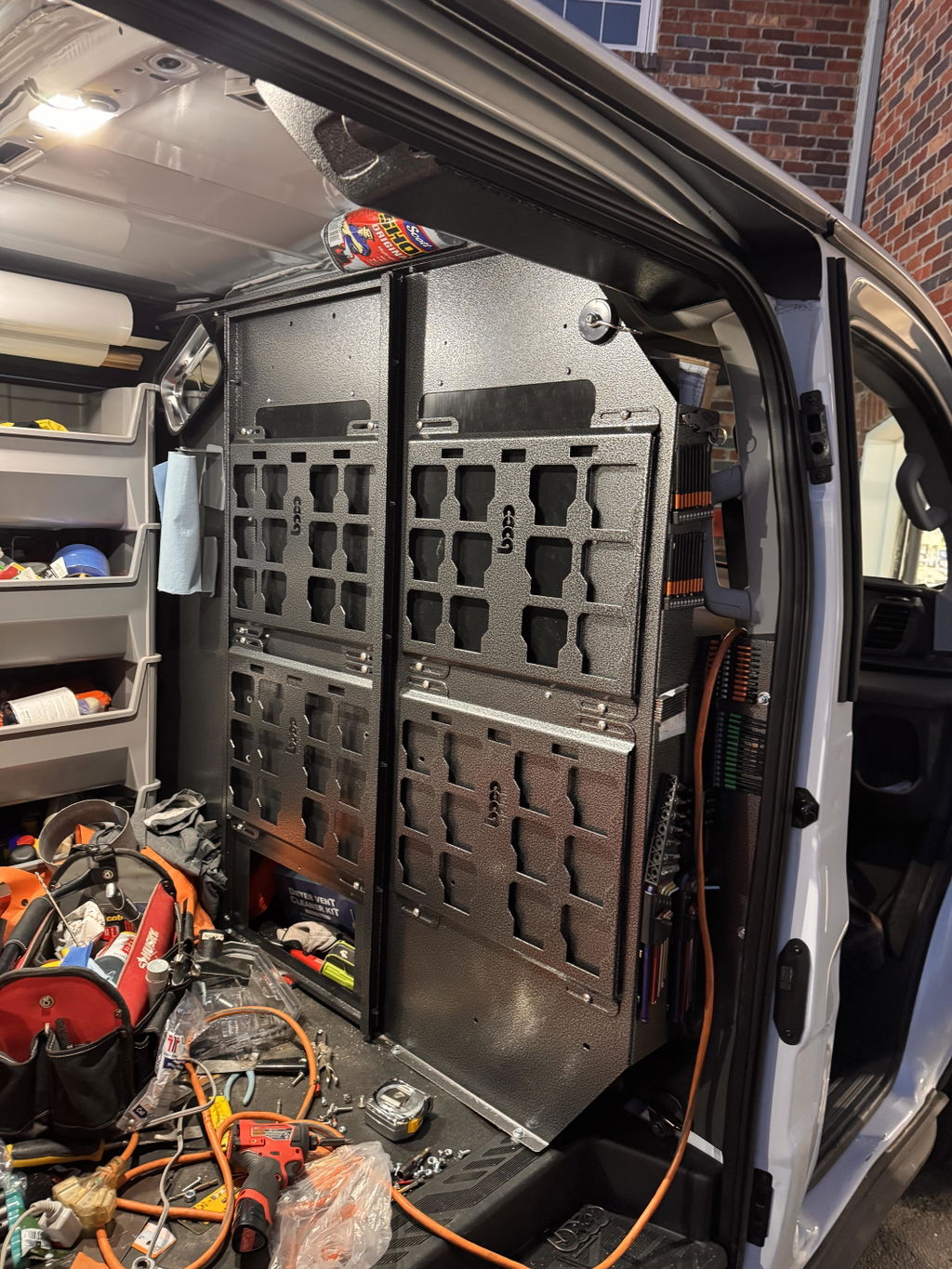
Wall-mount brackets that offset just enough for finger clearance while preserving center-of-gravity alignment.
Drawer and cart inserts with lightening pockets and routing channels to reduce weight while keeping structural ribs intact.
Hybrid plates with optional elastomer bumpers or UHMW wear pads to prevent metal-on-metal noise.
Fabricators serving DeWalt users can pair digital plans with finished products when timelines are tight. For example, a shop may cut custom plates from downloaded files but also stock ready-made options like the DeWalt Toughbox mounting plate for immediate installs. This blended approach helps meet rush deadlines while you scale in-house production.
Low-profile designs reduce risk in vehicles, make better use of vertical space, and keep workflows efficient at the jobsite—especially when stacking cases, sliding carts, and daily loading/unloading are unavoidable.
Comparison of File Quality and Usability Standards
Quality shows up first at the machine and later in the field. Consider how different DXF sources compare across the attributes that matter most.
Illustration 2
Geometry cleanliness
- Premium: Single, closed polylines; true arcs for circular features; no micro-segmentation; no duplicates. - Average: Mixed polylines and arcs; occasional overlaps requiring manual cleanup. - Poor: Broken contours, excessive nodes, and invalid loops that crash CAM or waste programming time.
Layer and operation clarity
- Premium: Consistent, named layers for cut/mark/bend; optional helper geometry correctly hidden. - Average: Some layers missing or merged; you must reassign operations per job. - Poor: All features on one layer, increasing risk of overcutting or missed marks.
Process-aware features
- Premium: Corner reliefs, burring mitigation, sensible pierce spacing, and tab logic. - Average: Works with tweaks; bolt holes may run tight; occasional tip-up points. - Poor: Overly tight geometry that leads to dross, warping, or edge blowouts.
Documentation, revisions, and variants
- Premium: Version history, recommended materials, multiple thickness options, inch/metric sets. - Average: Single-thickness assumption and minimal notes. - Poor: No versioning; undocumented updates; no alternative thickness support.
Boco Custom’s approach emphasizes production validation—files informed by cut trials and real field feedback. Whether you buy from them or evaluate other sources, prioritize files that evidence test cuts, layer discipline, and design choices that protect both machine uptime and operator safety.
How to Select the Right DXF Files for Your Shop
Choosing the right instant download DXF files is a strategic decision that affects quoting accuracy, cycle times, and final fit.
Work through these checkpoints:
Match to your cutting process
- Laser: Look for fine feature fidelity, etched bend lines, and tight hole tolerances. - Plasma: Favor generous reliefs, larger minimum holes, and optimized lead-in spacing. - Waterjet: Expect near-net geometries and tighter inner radii; ensure pierce logic is sensible. - CNC router: Seek onion-skin strategies and dogbone options for wood or plastics.
Confirm material and thickness
- The file should specify a target gauge or range with tested performance. If you plan to switch materials (e.g., 11 ga steel to 1/8 in aluminum), ensure the design can absorb the change without deformation or assembly issues.
Verify interface standard
- For modular storage mounting files, confirm compatibility with the specific generation (e.g., Milwaukee Packout footprints, Klein MODbox latch geometry, DeWalt Toughbox interfaces).
Evaluate documentation and support
- Look for clear usage rights, change logs, and contact options for clarifying edge cases.
Choose inch or metric—and stay consistent
- Files that include both prevent unit-conversion mistakes. If your shop runs mixed units, standardize at intake with naming conventions and QA checks.
Anticipate finishing
- If you powder coat, ensure allowance for coating thickness around press-fit features, hooks, or slots.
With those boxes checked, you’ll select files that move from purchase to cut to install without hidden costs or time sinks.
Implementation Guide: Using Downloaded Files for Production
A disciplined intake-to-shipment workflow converts instant downloads into repeatable parts. Use the sequence below to maintain speed without sacrificing quality.
Intake and verification
- Save the DXF into a version-controlled folder with supplier, revision, and material notes. - Open in CAD; confirm units and 1:1 scale using a known feature (e.g., a 6.00 in slot). - Purge duplicates and verify closed contours with a boundary or list command.
Assign layers and operations
- Map CUT/ETCH/BEND/TABS layers to your CAM operations. - For unlabeled files, create layers and move entities now—don’t defer to programming time.
Process-specific setup
- Laser - Define tool kerf based on lens/nozzle and material; set lead-ins outside tight corners. - Use low-power etch for bend lines and text; avoid deep marks on cosmetic faces. - Plasma - Increase pierce clearance; use arc lead-ins; expand minimum hole diameters per your torch’s rule-of-thumb (typically hole diameter ≥ material thickness × 2). - Waterjet - Choose a quality level (Q3–Q5) by finish requirement; position lead-ins where blend-out won’t mar cosmetic edges. - Router - Add dogbones for internal corners if mating with square parts; apply onion-skin passes and tabs to control part movement.
Nesting and sheet optimization
- Use common-line cutting when safe; respect heat accumulation in thick steel. - Rotate parts to align grain direction for brushed finishes or to mitigate distortion.
Fixture and identification
- Incorporate small etch IDs or QR codes linking to job travelers and revision notes. - Pre-plan fixturing holes for brake work or assembly jigs.
Illustration 3
Cut, deburr, and form
- Deburr immediately to protect cosmetic faces; tumble or use flap wheels as appropriate. - Follow etched bend data; verify angles with a protractor or digital gauge; adjust brake tonnage for thickness variance.
Hardware and assembly
- Test-fit press nuts or rivnuts on a coupon first. - Dry assemble one unit before committing to a full batch.
Finish and protect
- Clean thoroughly before powder coat or anodize; mask threads and grounding points. - Inspect coating thickness where sliding interfaces exist.
Final QA and documentation
- Confirm overall dimensions and critical interfaces with a go/no-go check. - Photograph the first-off part, attach a copy to the job record, and record any CAM or brake adjustments for the next run.
This routine catches issues early, reduces scrap, and codifies tribal knowledge into a repeatable, scalable process.
Benefits of Instant-Download vs. Custom Design Services
Both approaches have a place in a professional shop. Deciding between them is about speed, differentiation, and lifecycle cost.
Instant download DXF files
- Speed to cutting table: Buy, verify, and cut the same hour. - Predictable cost: No engineering hours up front; perfect for standard interfaces like Packout and MODbox. - Proven geometry: Mature templates reduce field issues and warranty risk.
Custom design services
- Tailored fit: Solve unique packaging constraints—vehicle-specific mounts, proprietary cases, or integrated cable routing. - Brand elements: Add distinctive patterns, logos, and finishes that reinforce your identity. - System integration: Coordinate with existing racking, electrical, or HVAC components for one-and-done installs.
Boco Custom supports both paths. Shops often start with off-the-shelf files to validate demand, then commission custom variants for fleet rollouts or co-branded programs. Local pickup and USA-made production add predictability when schedules are tight and freight delays aren’t an option.
Best Practices for Fabricators Working with Downloaded Files
Turn reliable files into reliable outcomes with habits that protect quality and throughput.
Standardize intake
- Require a unit/scale check at import. - Rename files with material, thickness, and revision tags for quick filtering.
Protect fit quality
- Cut a small test coupon with representative holes/slots anytime you change nozzles, tips, or material lots. - Maintain tooling calibration logs for lens focus, torch height, and pump pressure.
Control heat and movement
- Sequence cuts from inner features to outer profiles. - Stagger high-density pierces and add tabs where parts risk tip-up.
Respect finishing
- Add allowances for powder coat or anodize in slot and tab designs. - Use masking for grounding lugs and threaded features.
Preserve edge quality
- Match feed/speed and assist gas to thickness and alloy; cut samples before committing a full sheet. - Deburr consistently so parts stack flat and assemble cleanly.
Document every first-off
- Photograph the part on its mating case or bracket. - Record brake settings, shim notes, and any on-the-fly CAM changes.
Manage revisions
- Keep a change log inside your job traveler; archive superseded files with clear “DO NOT USE” tags. - If a supplier revises a DXF, validate against your fixtures before releasing to the floor.
Think safety throughout
- Avoid narrow, needle-like cutouts that break off during handling. - Round external corners where hands or cables pass frequently.
Instant download DXF files are a force multiplier for trades-focused fabricators. When the designs reflect jobsite realities, your shop builds parts that load fast, ride quietly, and last. Boco Custom’s emphasis on heavy-duty, low-profile geometry—paired with laser cutting competence across steel, aluminum, acrylic, and wood—helps you deliver that level of reliability. Apply disciplined selection, CAM setup, and QA, and you’ll turn digital plans into durable hardware that keeps professionals organized and on schedule.
Standard shipping takes 5 to 7 business days. Express (2 to 3 days) and overnight options are available at checkout. Orders over $50 ship free.
Can I order online and pick up in store?
Yes. Select "Pick up in store" at checkout and choose your nearest location. Most orders are ready within 2 hours.
What if my order arrives damaged?
Contact us within 7 days of delivery with your order number and a photo. We'll arrange a replacement or refund, no return shipping required.
AI-Generated Content Disclosure
This blog post was created with the assistance of RankGPT, an AI-powered tool designed to generate high-quality, SEO-optimized content at scale.
As a small business embracing modern technology, we use AI to help us:
Produce informative articles more efficiently
Increase our online visibility through better performance in traditional search engines (like Google) as well as emerging AI-powered searches and answer engines
Reach more potential customers and grow our presence in a competitive digital landscape
By leveraging tools like RankGPT, we're able to publish valuable content more consistently and scale our efforts in ways that would otherwise take significantly more time and resources.
Important notes for readers:
While RankGPT helps create well-structured and relevant content based on current best practices, AI-generated posts are not always 100% accurate, complete, or free from errors.
The information, opinions, and perspectives expressed may not fully reflect the exact views, experiences, or official positions of Boco Custom, its team members, or the individuals involved in our business.
AI content should be viewed as a starting point or general resource—not as personalized professional advice, definitive facts, or a substitute for direct consultation with us or qualified experts.
We always recommend verifying important details independently, especially for decisions related to custom products, services, or any business matters.
We are committed to transparency and continually work to improve our content. If you have questions, feedback, or spot any inaccuracies, please reach out—we genuinely appreciate it!
Not only is this way overbuilt for the price with its solid, confident craftsmanship, I am completely convinced that these guys are the best around when it comes to the packout platform.
I like these, they are much more compact than what Milwaukee offers. I had them powder coated in silver vain and they look awesome. I love the bonus half rack they sent me. That’s the mark of a nice company.


Leave a comment