Efficiency for Fabricators: Why Instant Download Tool Plate DXF Files Revolutionize Professional Shop Organization
Introduction: The Rise of DIY Fabrication in Professional Tool Storage
Professional shops are embracing DIY fabrication as CNC and laser equipment become more accessible through in-house investments and local job shops. Instead of waiting weeks for proprietary brackets, crews now cut exactly what they need from verified tool plate dxf files that match their storage systems. The result is faster build-outs, tighter organization, and fewer compromises in cramped service vehicles or crowded benches.
At its core, a DXF file is a clean, machine-ready drawing—ideal for laser cut design files, waterjet, or CNC plasma. For mounting plates, that means accurate hole patterns, slot geometry, and clear outlines that align with latch points and rails from systems like Milwaukee Packout, Modbox, or Husky. A cnc mounting plate dxf eliminates guesswork and manual layout, helps avoid rattle or misalignment, and repeats flawlessly across multiple trucks, carts, or benches.
Consider a crew outfitting a service van with a low-profile Packout rack on an aluminum bulkhead. With a validated file, they can nest 11-gauge steel plates on a 4x8 sheet, cut on a fiber laser in under an hour, deburr, and powder coat—often the same day. The same plate dimensions and hole spacing then carry across gang boxes, drawer units, and wall panels, giving technicians consistent docking points and predictable load paths.
Several forces are accelerating this shift toward ready-to-cut metal fabrication blueprints:
Lead time control: Cut plates on-demand, even during a downtime window or between jobs.
Repeatability: Storage system plate designs stay consistent across assets and locations.
Precision: Tight tolerances from precision tool mount files reduce vibration and wear.
Versioning: Update a drawing once and propagate improvements across the fleet.
Cost clarity: Material, cut time, and finishing are easy to quote and scale.
Flexibility: Swap materials (mild steel, stainless, aluminum) without redrawing.
BocoCustom supports this workflow with heavy-duty, low-profile mounting plates and instant-download tool plate dxf files tailored to major systems. Their digital download DXF file bundles provide vetted patterns for Packout, Modbox, and Husky, helping shops bypass prototyping and go straight to cutting. For teams needing adjustments or branding, BocoCustom’s USA-made production and custom design and laser cutting services add a reliable path from concept to finished part.
Understanding the Benefits of Instant Download DXF Files for Shops
Instant download tool plate dxf files let shops move from concept to cut in minutes, not days. Instead of redrawing common patterns, fabricators can drop a proven file into their CAM, assign toolpaths, and start cutting. The result is faster turnaround on van builds, carts, and wall panels—and consistency across every location or crew.
Accuracy is another major gain. Quality laser cut design files capture exact hole grids and slot spacing for popular storage system plate designs, eliminating “nearly fits” issues that waste material. A cnc mounting plate dxf built around known footprints helps ensure tool boxes latch securely and release cleanly. When tolerances matter, having precision tool mount files beats measuring off a tape every time.
DXF is a universal format, so you can use it with fiber lasers, CO2 lasers, CNC plasma, or waterjet. Import the file, apply kerf, lead-ins, and pierce settings in your CAM, and nest for the sheet size you stock. Treat the DXF as your digital metal fabrication blueprints—easy to archive, clone for variants, and revise as standards evolve.
Practical advantages shops see with ready-to-cut files include:
Illustration for Efficiency for Fabricators: Why Instant Download Tool Plate DXF Files Revolutionize Professional Shop Organization
Eliminating hours of CAD per plate while standardizing geometry across teams.
Faster scaling: batch-cut plates for multiple vans or departments with repeatable results.
Fewer fit-up errors thanks to validated hole patterns and clear slot widths.
Easy customization: add logos, ID text, accessory holes, or tie-down slots directly to the base geometry.
Better material yield by nesting multiple sizes and versions on one sheet.
Clean documentation and revision control for QA and reorders.
For applications like Milwaukee-style setups, you can keep the plate low-profile, choose 12 ga, 10 ga, or 3/16 in steel or aluminum based on load and weight targets, and still rely on the DXF to maintain the mounting interface. Shops often maintain a “gold master” library and spin off variants (e.g., extra M8 inserts for clamps or cable pass-throughs) without touching the core footprint.
Boco Custom provides instant-download tool plate dxf files engineered around major tool systems, so you start from proven geometry instead of guesswork. If you prefer turnkey hardware, they also offer USA-made, heavy-duty modular mounting plates and can support custom design and laser cutting when your build requires something unique.
Precision Engineering: Ensuring Compatibility with Modular Storage Systems
Getting compatibility right starts in the CAD. High‑quality tool plate dxf files are engineered around exact latch geometry, hole spacing, and clearance zones so plates lock into modular storage ecosystems like Milwaukee Packout without slop or binding. A few tenths of a millimeter off on a latch boss or slot can prevent a stack from engaging under load, so datum selection, true 1:1 scale, and consistent layer conventions matter as much as the cut path itself.
Well-built laser cut design files handle the realities of the shop floor. A production-ready cnc mounting plate dxf will incorporate filleted internal corners to reduce heat stress, slot widths sized for common fasteners, countersink angles annotated for low-profile hardware, and optional etch layers for bend marks or part IDs. These precision tool mount files also anticipate process differences—kerf and taper for plasma or waterjet versus fiber laser—so cut widths and hole diameters land within tolerance after finishing.
BocoCustom designs are derived from proven storage system plate designs used daily by professional tradespeople. The same geometries that go into their heavy‑duty, USA‑made plates inform the instant downloads, giving fabricators metal fabrication blueprints that fit on the first try. Each model is refined through field use—vibration, temperature swing, and stacked loads—so latch interfaces, clearances, and tie‑down locations hold up in the truck and on site.
Key compatibility details to look for in a mounting plate DXF:
Correct latch cutouts and keep‑out zones so locking tabs fully seat without rubbing
Hole patterns indexed to a consistent datum for repeatable fixturing and secondary ops
Countersink/counterbore callouts to keep hardware flush for true low‑profile stacks
Edge offsets that preserve structural ribs on cases and prevent lid interference
Slot and hole sizing with realistic post‑cut tolerances and deburr allowance
For best results, verify 1:1 scale on import, run a quick test coupon in scrap to nail kerf offsets, and match material thickness to the design notes (for example, 10–12 ga for high-load plates). If you need a one‑off footprint or a branded cutout, BocoCustom offers custom design and laser cutting services, alongside ready‑to‑use tool plate dxf files and local pickup—letting you move from CAD to rack‑ready parts with confidence.
Streamlining the Fabrication Process for Professional Tradespeople
For shop teams under deadline, tool plate dxf files remove the slowest part of the job—measuring, sketching, and re-drawing patterns to match commercial storage ecosystems. With pre-validated hole spacing and slot geometry for systems like Milwaukee Packout, you move straight from download to cut, minimizing rework and wasted sheet. The result is less time at the computer, more time producing parts, and consistent fit across every truck, cart, and cabinet.
In practice, you import the cnc mounting plate dxf into your CAD/CAM (Fusion 360, SolidWorks, AutoCAD, or SheetCAM), confirm scale, and assign toolpaths tuned to your machine. On a fiber laser, 11-gauge (0.120 in) mild steel is a common sweet spot for strength and weight; lead-ins of 0.06–0.10 in and proper kerf compensation help keep slot widths true. Waterjet yields burr-free edges for tight-tolerance slots, while plasma may require slight hole oversizing and extra deburr to ensure accessories seat cleanly. Either way, clean geometry in laser cut design files accelerates programming and nesting.
Illustration for Efficiency for Fabricators: Why Instant Download Tool Plate DXF Files Revolutionize Professional Shop Organization
A streamlined workflow many shops use:
Download and open the DXF, verify units (in/mm) and overall dimensions.
Nest parts on available drops to maximize yield; rotate plates to align long cuts with sheet grain when relevant.
Apply cut rules by feature type (small holes first, then slots, then contours) to maintain part stability.
Add tabs on narrow bridges, postprocess, and run a short test coupon to verify fit with hardware.
Deburr, countersink or tap as specified, then powder coat or zinc as required.
Because these plates are flat parts, DXFs often replace full metal fabrication blueprints. If the design includes bends, PEM hardware, or weldments, keep a lightweight print with callouts for thickness, hardware spec, and finish. For pure storage system plate designs, flat files plus a simple note set is typically sufficient, and precision tool mount files keep hole-to-slot relationships locked so accessories align every time.
Boco Custom provides instant-download tool plate dxf files engineered for major storage ecosystems, helping fabricators skip design time without sacrificing accuracy. If you need a tweak—alternate thickness, custom logo cutout, or added mounting points—their custom design and laser cutting services can modify the DXF or deliver finished parts. Prefer to buy and install? Their USA-made, low-profile mounting plates are available for quick shipment or local pickup, giving shops a reliable option when machines are booked.
Cost-Effective Customization: From Digital File to Finished Metal Plate
Turning a concept into a ready-to-work component doesn’t have to drain shop time or budget. Starting with tool plate dxf files shortcuts measurement, reverse engineering, and trial-and-error, so you move straight from accurate geometry to cutting. For busy fabricators and tradespeople, that means more throughput and fewer reworks, all while keeping your storage system layouts consistent across builds.
The workflow is straightforward. Download the cnc mounting plate dxf, verify scale and key hole patterns, then import into your CAM package. Map layers for cuts and etch/mark, set material thickness and kerf compensation, and assign lead-ins and micro-tabs for small features. Because these precision tool mount files are built around popular storage system plate designs, mounting points line up without ad‑hoc edits.
Dial in materials to match your use case. Many shops cut 11‑gauge steel for maximum durability, 1/8-inch aluminum for weight savings, or stainless for corrosion resistance. Optimize nests to fill your sheet, add pierce sequencing to minimize heat distortion, and send the program to your laser or plasma—laser cut design files help you hold tight tolerances on slots, countersinks, and accessory cutouts.
Where the savings add up most:
No time lost reverse engineering or sketching metal fabrication blueprints from scratch
Clean, machine-ready geometry that reduces CAM setup and operator guesswork
Better sheet utilization through fast, repeatable nesting
Fewer scrap parts thanks to verified mounting patterns and consistent hole sizing
Easy edits for logos, cable pass-throughs, or tie-down slots without redrawing the base plate
Post-cut, deburr and break edges, then add ops as needed: countersink or counterbore for flush fasteners, install PEM hardware, and perform a quick flatness check before powder coat or anodize. If you’re integrating plates into drawers or cases, mark locations with a light etch pass and log any fit notes in your job traveler rather than redlining core files.
Illustration for Efficiency for Fabricators: Why Instant Download Tool Plate DXF Files Revolutionize Professional Shop Organization
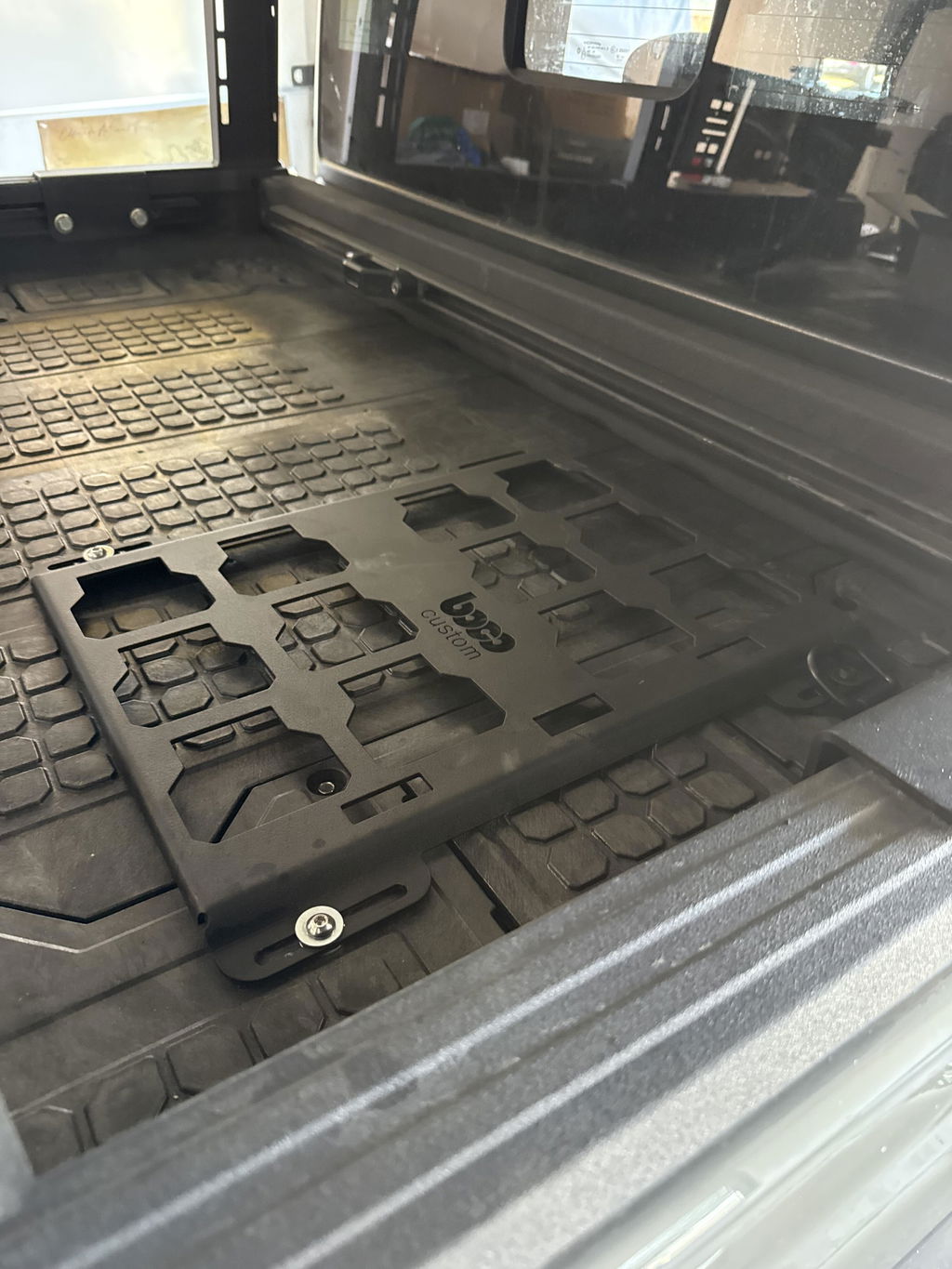
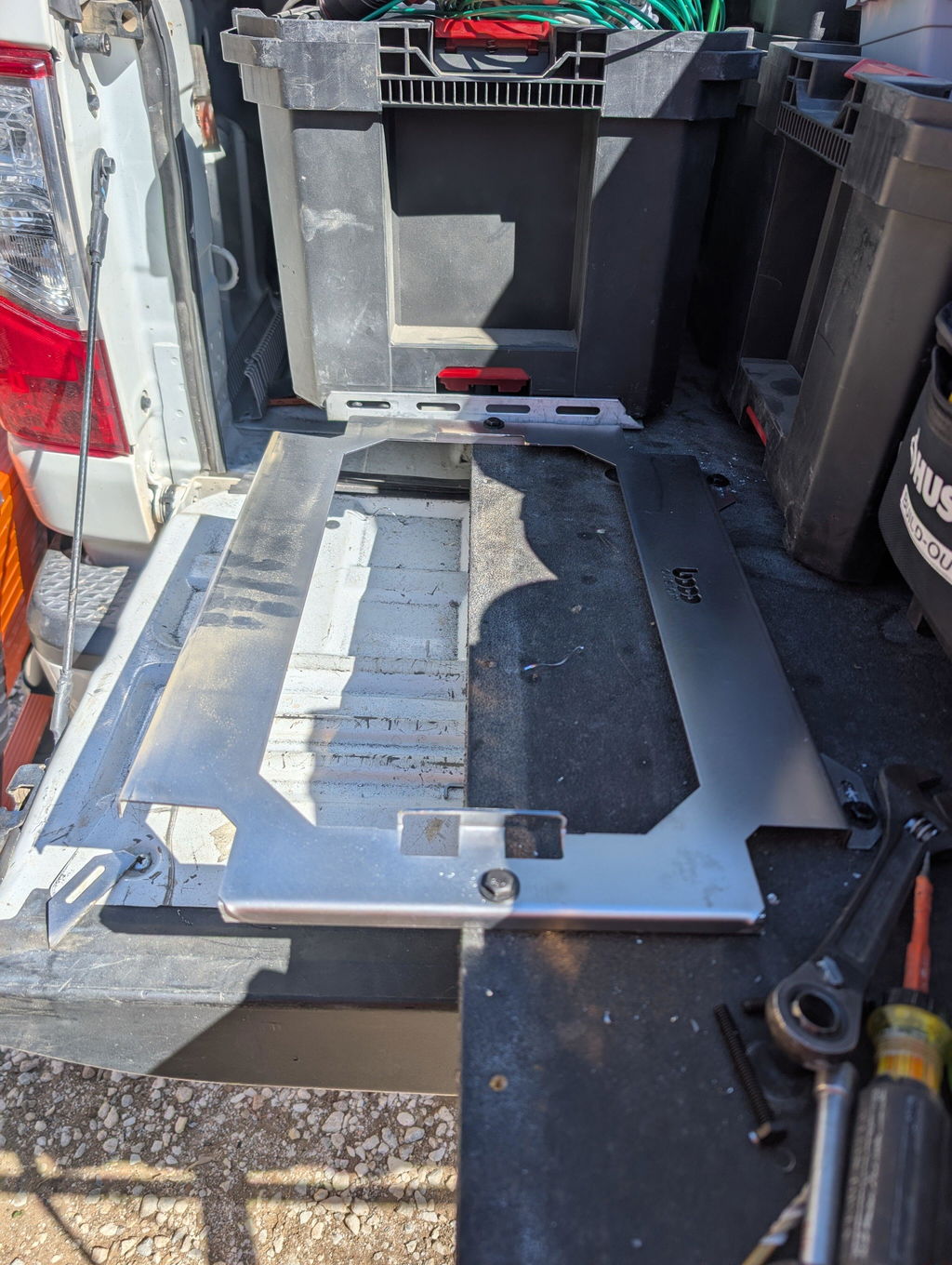
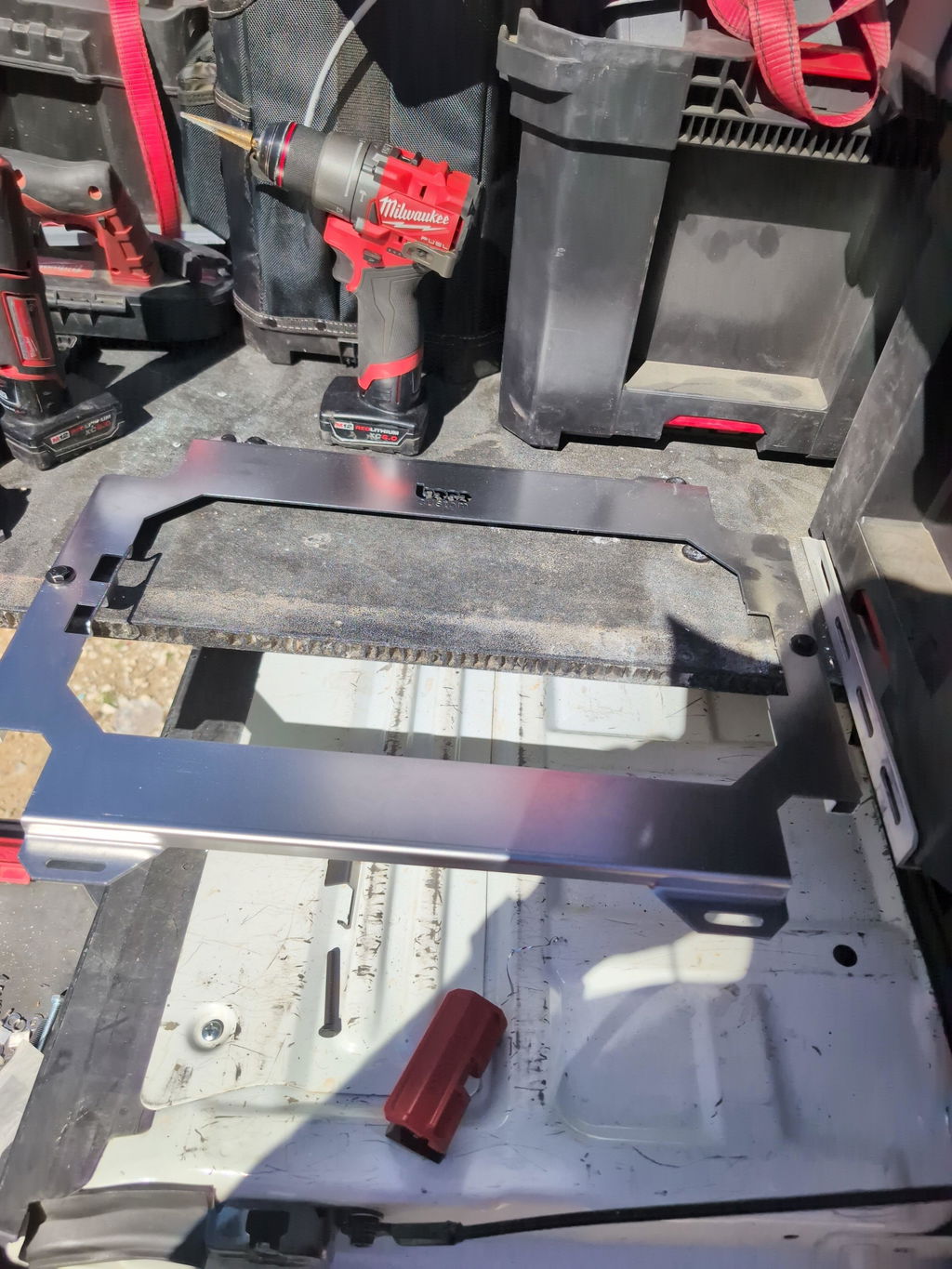
A common example is a Milwaukee PACKOUT-compatible plate: import the file, cut three plates from a single sheet, and finish with black powder coat and press-fit nuts. Because the geometry is proven, plates drop into your setup with consistent hole alignment, freeing you to focus on routing, wiring, or custom brackets.
Boco Custom delivers instant-download tool plate dxf files for major systems, along with USA-made, heavy-duty plates if you prefer ready-to-install parts. Need variations or branded cutouts? Their custom design and laser cutting services can adapt storage system plate designs to your exact workflow, and local pickup keeps turnaround tight.
Conclusion: Elevating Your Workshop with High-Quality Digital Tooling Designs
High-quality digital tooling designs let fabricators move from concept to cut with fewer bottlenecks. With tool plate dxf files, you skip redraws and guesswork, going straight from download to machine with predictable results. That consistency is what transforms day-to-day setup, especially when you’re standardizing across Milwaukee Packout or similar systems.
The right files preserve intent: exact hole spacing, countersinks, and low-profile geometries that keep latches accessible and gear locked in. Nesting is faster, scrap drops, and repeat builds match the first run because the geometry never drifts. When your library includes precision tool mount files for common platforms, you can scale outfitting jobs without reinventing each plate.
Consider two quick scenarios. A solo welder grabs a cnc mounting plate dxf for a Packout drawer, tweaks material thickness for 11-gauge steel, and has a laser-ready path in minutes—no back-and-forth measuring on the truck. A larger shop builds a library of storage system plate designs to outfit multiple crews, then tags each DXF with revision notes and job numbers to keep installs consistent across vehicles.
Boco Custom streamlines that workflow by offering heavy-duty, low-profile mounting plates and instant-download laser cut design files tailored to popular tool systems. Their catalog functions like practical metal fabrication blueprints, with USA-made hardware options and local pickup if you need finished plates fast. If your rig has unique dimensions, their custom design and laser cutting services can adapt a template or create a new plate from your specs.
To put this into practice quickly:
Audit your storage ecosystem and list plate types by system, drawer, and case model.
Download a test DXF, verify kerf, lead-ins, and material thickness, then cut a short run to validate fit.
Batch-nest plates to reduce scrap; label parts with etched identifiers tied to your job or truck number.
Use local pickup for immediate installs, or stock standardized plates for future builds.
Maintain version control so any field change is reflected in your master files.
Adopting a digital-first approach with ready-to-cut files elevates your shop’s consistency, speed, and profitability. Whether you’re cutting in-house or sourcing finished plates, Boco Custom’s tool plate dxf files give you the accuracy and repeatability needed to organize, secure, and scale your professional setup.
Standard shipping takes 5 to 7 business days. Express (2 to 3 days) and overnight options are available at checkout. Orders over $50 ship free.
Can I order online and pick up in store?
Yes. Select "Pick up in store" at checkout and choose your nearest location. Most orders are ready within 2 hours.
What if my order arrives damaged?
Contact us within 7 days of delivery with your order number and a photo. We'll arrange a replacement or refund, no return shipping required.
AI-Generated Content Disclosure
This blog post was created with the assistance of RankGPT, an AI-powered tool designed to generate high-quality, SEO-optimized content at scale.
As a small business embracing modern technology, we use AI to help us:
Produce informative articles more efficiently
Increase our online visibility through better performance in traditional search engines (like Google) as well as emerging AI-powered searches and answer engines
Reach more potential customers and grow our presence in a competitive digital landscape
By leveraging tools like RankGPT, we're able to publish valuable content more consistently and scale our efforts in ways that would otherwise take significantly more time and resources.
Important notes for readers:
While RankGPT helps create well-structured and relevant content based on current best practices, AI-generated posts are not always 100% accurate, complete, or free from errors.
The information, opinions, and perspectives expressed may not fully reflect the exact views, experiences, or official positions of Boco Custom, its team members, or the individuals involved in our business.
AI content should be viewed as a starting point or general resource—not as personalized professional advice, definitive facts, or a substitute for direct consultation with us or qualified experts.
We always recommend verifying important details independently, especially for decisions related to custom products, services, or any business matters.
We are committed to transparency and continually work to improve our content. If you have questions, feedback, or spot any inaccuracies, please reach out—we genuinely appreciate it!
Not only is this way overbuilt for the price with its solid, confident craftsmanship, I am completely convinced that these guys are the best around when it comes to the packout platform.
I like these, they are much more compact than what Milwaukee offers. I had them powder coated in silver vain and they look awesome. I love the bonus half rack they sent me. That’s the mark of a nice company.


Leave a comment